Adopt Me! Wiki
Adopt Me! is Uplift Games’ pet-raising and roleplay game on Roblox. Hatch eggs, complete pet needs, decorate a home and trade with other collectors. This wiki explains pet care, growth, Neon pets, trading requirements and housing, with code status and recorded game updates.
Codes
Sources checked
No active Adopt Me promo code was confirmed in this review. Free in-game promotions and the single-use virtual-item codes packed with toys use different redemption routes.
View all codes & redemption helpRaise your first petEquip an egg or pet, complete its needs and choose a care or collection goal.
Beginner
Start raising your first pet
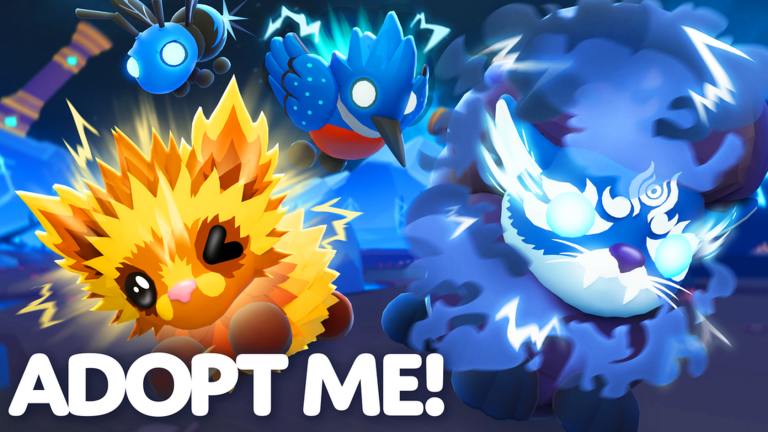
Adopt Me! is Uplift Games’ Roblox pet-raising and roleplay game. Hatch eggs, complete pet needs, decorate a home and trade with other collectors. Playing is free; optional items use Robux.
For a first goal, focus on raising one pet and learning its needs. You can build toward a Neon or a larger collection after you know how care and trading work.
Follow the introduction
Open Adopt Me by Uplift Games and follow its opening guide. Equip an egg or pet from your Backpack to begin caring for it.
Read the need above your pet
Tap your pet or a need to open its interaction view. A sleep request needs a bed; a ride request needs a vehicle or stroller. Complete the requested action to progress.
Build up Bucks
Care needs earn Bucks. Open the Task Board for additional goals and rewards, and collect the daily reward when you return. Use the Journal to check where an item comes from.
Choose a collection goal
Keep raising your pet, or gather four matching pets for a Neon. Before trading Ultra Rare or Legendary pets, earn the Trade License at the Safety Hub.
Pet needsMatch each request to the right action to help your pet grow and earn Bucks.
Pet needs at a glance
Needs appear over your pet’s head. Tap one to see what it wants. If you prefer the older bubble menu, look in Settings → Gameplay → Advanced Pet Menu.
Care reference
| Topic | What to do |
|---|---|
| Sleep | Put your pet into a bed when the Sleep need appears. Completing needs provides Bucks and helps pets grow. |
| Potty | Take your pet to a toilet or a fire hydrant. |
| Catch | Use a toy to play with your pet. |
| Ride | Take your pet for a trip in a vehicle or a stroller. |
| Walk | Explore the world together with your pet. |
| Specific requests | If a need names a particular item, use that item. Your pet may request a certain food, toy or type of outing. |
Trying to raise a pet in a Trading Server? Pet needs do not spawn there. Join a regular server to resume care.
Growth & FriendshipCompare pet growth, Pet Pens, birthday rewards and Friendship progress.
Growing pets & building Friendship
Active care grows your pet; Pet Pens help with other pets while you are busy. A fully grown favorite can keep earning Friendship and Age-Up Potions.
Growth reference
| Topic | What to do |
|---|---|
| Pet Pens | Your house has a pen that can age pets while you do other activities or are offline. The base pen has four places; an optional fifth slot is available. Return to continue growth after a pet finishes an age level. |
| What pens do not do | Neon pets can grow in a pen, but pens do not earn Friendship levels. For Friendship, keep completing needs with your fully grown pet. |
| Friendship & Age-Up Potions | A fully grown pet earns a Friendship level every 30 completed needs, rewarding an Age-Up Potion. Ordinary Age-Up Potions cannot be traded or used on eggs or fully grown pets. |
| Before trading a favorite | Trading a pet resets its Friendship, even if it is later traded back. Making a Neon combines completed Friendship levels, but not partial progress. |
Birthday rewards
A pet’s age level-up can award a birthday gift such as Bucks, food or a potion. Friendship level-ups continue to reward an Age-Up Potion. These are different progress tracks.
Neon & Mega NeonCheck matching-pet requirements, growth and trading restrictions before combining pets.
Making Neon & Mega Neon pets
The Neon Cave combines matching grown pets into a single new pet. Check the Backpack’s Full Grown filter to find pets ready for the process.
Neon requirements
| Topic | What to do |
|---|---|
| Neon | Bring four fully grown pets of the same kind to the Neon Cave. They become one Neon pet, which can be aged again. |
| Mega Neon | Combine four fully grown Neon pets of the same kind in the cave. Starting from ordinary pets requires 16 matching pets in total. |
| Fly & Ride abilities | Only one ingredient pet needs a Fly or Ride ability for that ability to carry over. You do not need to apply the same potion to all four pets. |
| Trade icons | A green N marks a Neon pet in the trading grid; a purple M marks a Mega Neon. |
Locked pets must be unlocked first. Including an untradeable pet makes the resulting Neon or Mega Neon untradeable; the game warns you before proceeding.
Trade LicenseVisit Agent Jake at the Safety Hub, pass the test and learn where to review trade history.
Get your Trade License
Visit Agent Jake
Go to the Safety Hub and speak to Agent Jake. Ask to take the Trade License test.
Answer all three questions
Pass all three questions to receive the license. You can retry if you miss an answer.
Check the final trade
Review the other player’s username and every item on the second confirmation screen. Keep the complete exchange inside the trade window.
What the license unlocks
Trade Ultra Rare and Legendary pets and houses, view recent trade history and report trades. The license itself cannot be traded.
Finding a past trade
Use the Trade License or the Trade History book beside Agent Lily. A suspicious completed trade can be reported from its history entry.
House tradingCheck the license and second-house requirements before listing your decorated home.
Trading a decorated house
At your mailbox, choose Trade House to put up a FOR TRADE sign. A visitor can use the sign to tour the interior, then send a trade request from inside the house.
- You need a Trade License and a second house before trading away your own.
- The VIP house cannot be traded. Only one house can be included in a trade.
- Tour the furniture and expansions before accepting. Owner changes to the house cancel the trade.
Official linksFind the pet catalog, official news, Discord and support.
Official Adopt Me links
Updated . Game artwork belongs to its creators.