Early Access
299 RobuxAccess current and future unfinished character skill sets before their completed release.
The Strongest Battlegrounds is a Roblox fighting game by Yielding Arts. Practise movement, attacks, blocks and evasive inputs before taking on other players. This wiki covers published controls, first-fight guidance, kill milestones and optional game passes, with code status and official event information.
Sources checked
No active reward code was confirmed in the official TSB sources reviewed. Kill Sound customizes elimination and death audio; sound IDs are separate from reward codes.
View all codes & redemption helpBeginner
The Strongest Battlegrounds is a Roblox fighting game by Yielding Arts. Train and fight other players, with support for PC, console and mobile.
Suggested practice order: movement, punching, blocking, then evasive inputs. The keyboard reference below follows the developer’s published controls.
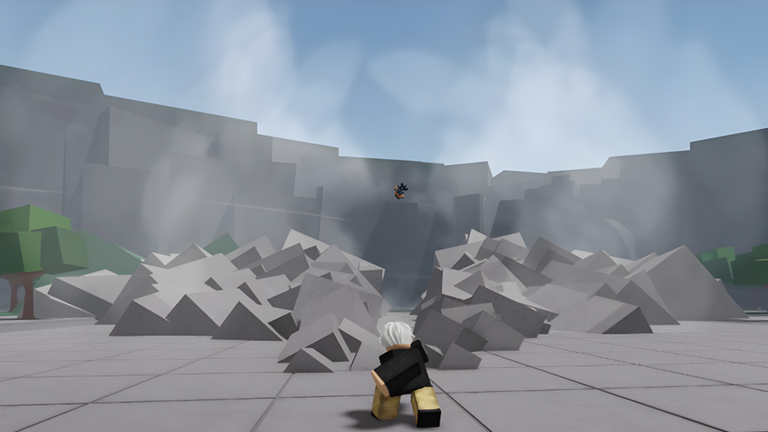
On PC, double-tap W to run and press Q to dash. Start with these inputs before adding attacks.
Learn the feel of the basic punch with left click, then practice using F to block. Keep each practice session focused on one input.
Q is a dash normally. While your character is ragdolled, it is the ragdoll-cancel or evasive input. Recognize that state so you can choose the right action.
Baby Steps is the badge for one total elimination; Head First is the next milestone at ten. Use these as small goals while learning your chosen character.
Keep dash and evasive inputs separate in your mind: the same Q key has a different use while ragdolled.
PC bindings are listed here. On mobile or console, use the prompts shown for your device.
These official badge goals use total eliminations, not a single uninterrupted kill streak. Badge names are kept in English to match Roblox.
Taking Out The Trash — eliminate someone with a trashcan. Unstoppable — achieve a kill streak without dying; the official description does not specify its length.
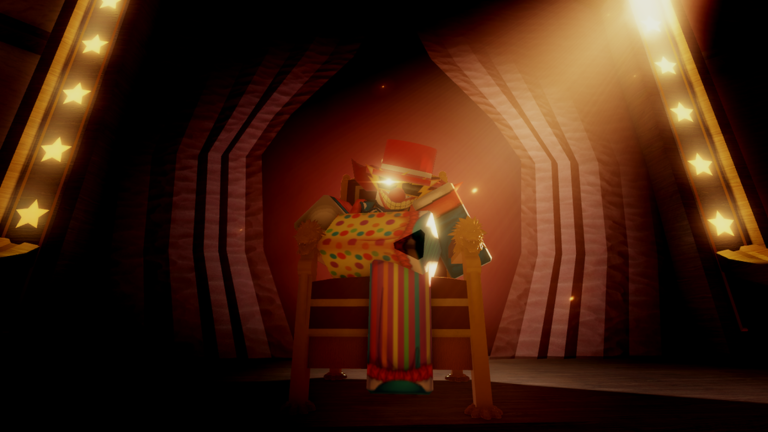
The circus has arrived. Yielding Arts’ official Halloween event is scheduled through November 23, 2026 at 02:00 UTC.
Schedule checked .
View the official eventEarly Access refers to unfinished character skill sets. Private Servers+ changes your own private-server settings; its description does not promise those powers in public servers.
Access current and future unfinished character skill sets before their completed release.
Change gameplay settings and use special abilities in your private server. Open Settings beside character selection.
Chat tag, options to hide kills and kill streaks, a customizable cape and an arrival announcement.
Choose sounds for your eliminations and your own death in Settings. This is sound customization, not a reward code.
Expand the emote wheel from four slots to eight.
Switch to a saved avatar outfit upon awakening. Choose the outfit with Customize Awakening Outfit in Settings.
Add another page for your selected emotes.
Listed prices checked . Confirm the price shown by Roblox before buying.
Updated . Controls, badge goals, pass descriptions and the event schedule come from the official Roblox listings. Game images belong to their rights holders.